

 Maintenance Connection Everywhere (MCe) · EAM/CMMS manuals
TL;DR
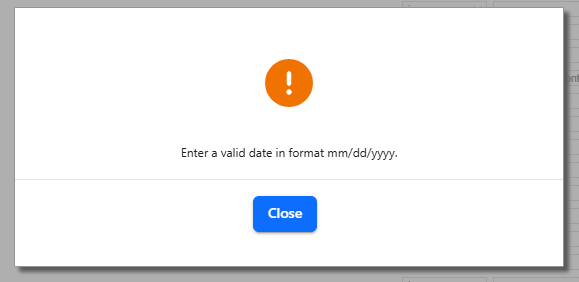
This could be because you put in a bad date like 6/31/2026 (there are only 30 days in June) but in our experience most of the time this pops up it is due to bugs in Accruent MC. So ignore that it says mm/dd/yyyy - it has nothing to do with that, it is that the date can't convert correctly the way they are doing it.
Since 2003 we have fixed in successive versions ways in which Accruent MC fails with date formats that are not the US date format. With MC 2025 and bugs in places that previously worked with other date formats we have stopped trying.
The most honest answer is: Accruent MC, while a European company, originated in the USA and they don't support any format for dates other than the US date format in anything (database, field entry, servers)
Each version for MC has it's own bugs for dates and, while we have tried making patches to their code for our customers, with MC 2025 we have given up. If you try to use any date format in MC other than the USA M/D/YYYY format, you will have problems. If not this version, then the next. (Note, even though it says you must use mm/dd/yyyy where that means you HAVE to use a 2 digit month 02/03/2026 ... it turns out that the format is actually m/d/yyyy where you can optionally use leading zeros. But only leading zeros that bring the month and day up to 2 characters, you can't use 006/030/2026 and we are perfectly ok with that.
A Date format issue we looked into in August 2026, apparently new with MC 2025, spending hours trying to resolve unsuccessfully
The Database was in US date format (due to past problems we previously gave up and set the database to the US date format)
Someone went into MC and changed the System-->Localization->Date Format to 4105 / English - Canada which is the pre 1975 standard, and commonly accepted by many Canadians still, format.
The problem is likely that they are just converting once instead of twice (to and from d/m/yyyy) or they are converting one too many times. Doesn't matter - the result is they report a date format error.
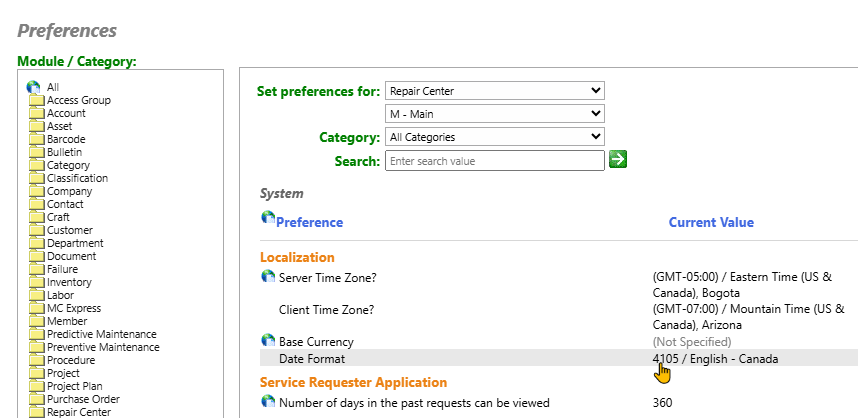
In testing, the database was set to US, the Preference was set to 4105 English-Canada (which is the pre 1975 Canadian date standard dd/mm/yy), and the date was entered in a variety of means:
- mm/dd/yyyy
- m/d/yyyy (no leading 0's)
- yyyy/mm/dd (the international, and since 1975 official Canadian) date format
- dd/mm/yyyy (the 4105 format)
- d/m/yyyy (no leading 0's)
- dmy (no /'s)
- and several other format
ALL of them resulted 80% of the time in the following message. Noting that it didn't matter whether we used the same date over and over, sometimes it checked other times it didn't but it always returned bad data in the report so it didn't really matter that the error didn't come up.
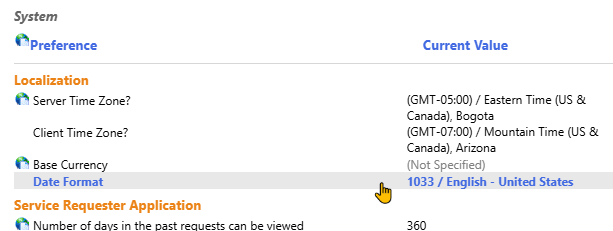
We're sorry, but if you want to use a format other than the US date format, we see no solutions with MC. If you want to consider other options we can help you, but with MC - make sure everything is set to US date formats to make your life better.