
 Maintenance Connection Everywhere (MCe) · EAM/CMMS manuals
DataHub Connector
How to activate
Activating the Connector
To activate the connector:
Navigate to: Configuration → Access Manager → DataHub Connector Keys
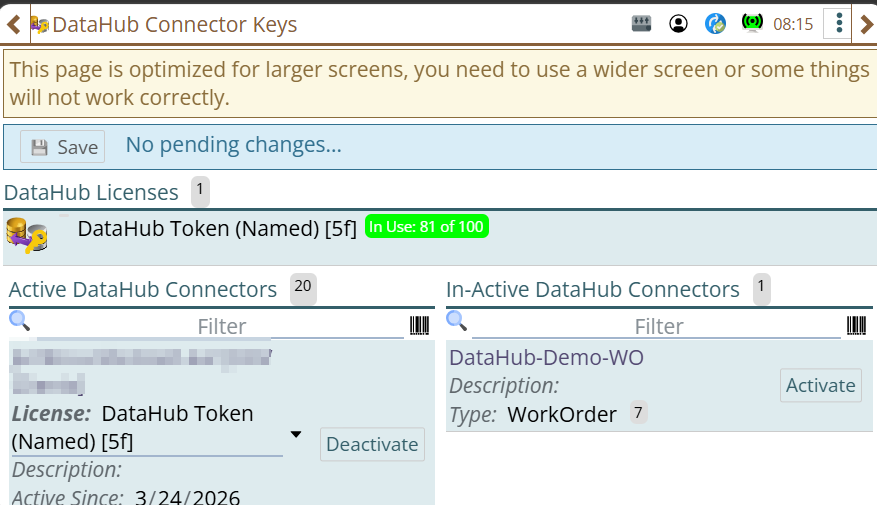
Assign a license to the connector.
Activation consumes DataHub tokens. Token usage depends on the module associated with the connector.
Examples: Token Cost for the WorkOrder will be 7, for Asset it will be 9 tokens and for Part it will be 4 tokens.
Token requirements vary depending on connector type and module configuration.
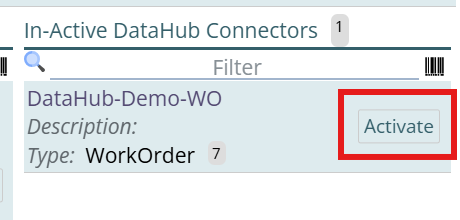
So look for your connector that needs activation on the In-Active DataHub Connectors section.
Click on Activate
Assign the license.
select a license and hit the green tick button at the top left to assign the license and activate the connector:
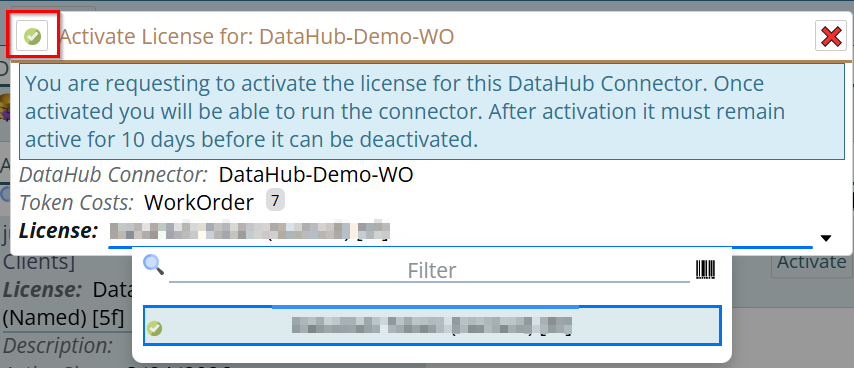
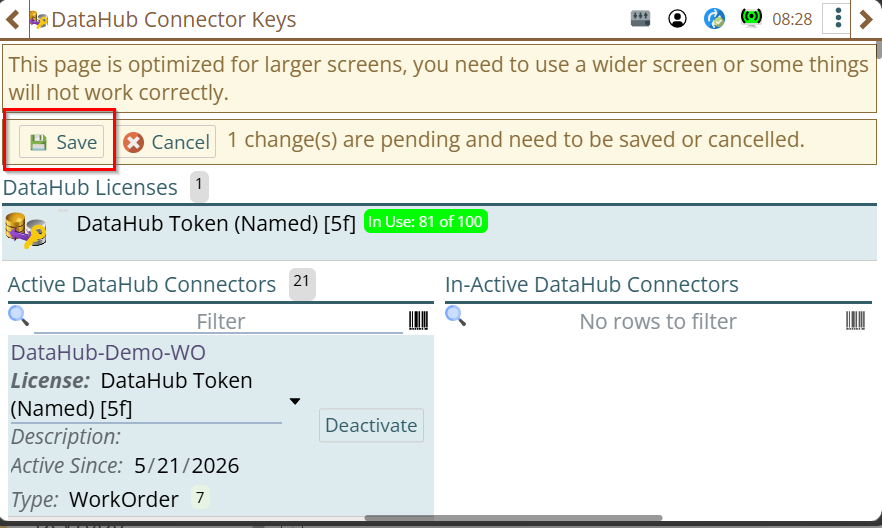
A Save/Cancel option will appear to Save or cancel the license activation change. Click on Save
Verify Connector Activation
After licensing:
- Return to the DataHub module.
- Open the connector.
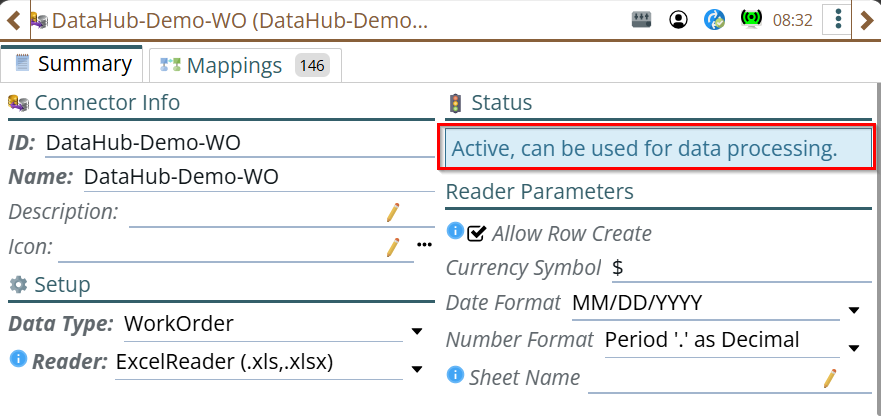
The connector status should now display as:
Active, can be used for data processing.