

 Maintenance Connection Everywhere (MCe) · EAM/CMMS manuals
Overall:
If you have gauges that are not showing the needle (technically the needle is white) since June 11, 2026:
- The solution we are offering is the Desktop App for MC 3.1.10 which implements a bug patch for all supported versions of MC. See also: Desktop App for MC- so much better than in a browser
- An alternative is to wait for an Accruent patch (not in the prerelease of MC 2026, but maybe will be in the final MC 2026, we'll update this when there is an Accruent fix available for on-prem users)
- This can happen if you are running in a browser such as Edge, Brave or Chrome or any other browser.
Details
Correct display:
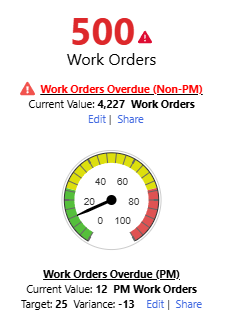
This can happen if you are running our Desktop App for MC 3.1.9 or earlier, because we became aware of the bug after 3.1.9 shipped. We shipped Desktop App for MC 3.1.10 which inserted a fix for the Accruent bug 3 hours after we became aware of the bug.
Sample incorrect displays
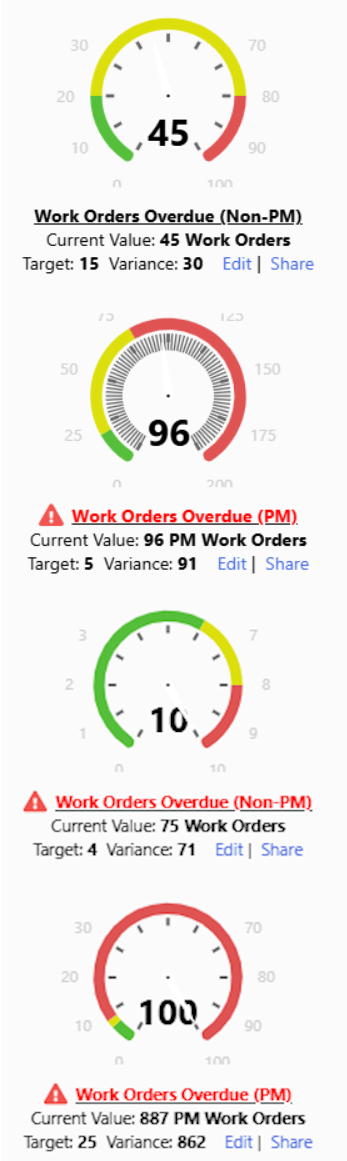
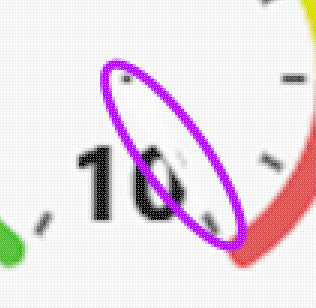
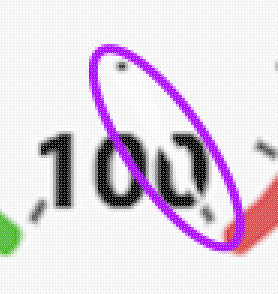
Looking a little closer you can see the needle is white:

Technical details
Accruent is loading 'live'?Loading live means, depending on caching, loading it each time it is needed instead of embedding it in the shipped code. So when changes, such as bug fixes and security fixes happen, you get the new version of that library even if running older MC code. a library?A library in this context is a set of code, usually written by a third party. (Highcharts) they use from the owner's site instead of including the version that they tested with.
The site owner made a change around June 11 2026 that breaks some MC users. It appears the change was fixing a bug that has been in that library for decades.
Specifically the needles on gauges turns white, it appears that they are missing.
The industry standard alternative way to do this normally is to make a copy of the library and ship it with your product or link to a copy you have tested against on a site you control, that way you are testing the version that customers are using. By downloading it live, it means any breaking changes can break your app. It also means if the provider goes out of business, all the old versions of your app are permanently broken.
The flip side argument that Accruent is probably using is that, by copying live every time, it means when bugs are fixed by the library owner, you get the fixes.
Alternate fixes from the one we provide:
Live with it and wait for Accruent to fix it.
As of October 2026 we see even on Accruent's SaaS, they have not figured out a fix yet.
Change your settings to not use dark mode
Testing this method can be difficult and require patience after each tweak.
It happens based on combinations of dark/light mode and theme of the OS or browser.
If you make changes to the theme or dark/light mode to try to fix it, be aware that testing has shown that those values are cached at various levels to avoid horrible performance problems (checking too often) and it can take a couple days for your 'fixes' to percolate through.
You may be able to speed this up by rebooting your computer, which encourages the browser to refresh caches, but not all. Be patient, your change in the browser will percolate through in a day or two.\
We recommend the Desktop App for MC which is provided at no additional cost to all users who get MC SMA through us.
Obviously, we recommend our proposed solution instead, using the Desktop App for MC 3.1.10 or newer, but if you want to test or try fixing it without that, be aware you may need to wait a couple days between each change to see whether it changed it or not, and this can make determining WHAT fixed it difficult since it could have been the change you made 2 days ago that fixed it, not the change you made 5 minutes ago.