

 Maintenance Connection Everywhere (MCe) · EAM/CMMS manuals
Overview
This IQDoc contains a sample Asset import spreadsheet with a matching DataHub Connector.
The spreadsheet demonstrates the expected source file structure, while the connector contains the mappings required to import the data into the Asset module.
These files are intended as example and may be modified as per customer requirements.
The sample file to import:
Asset - Simple - Test.xlsxThe Datahub Connector:
export_data_hub_datahub-demo-asset_2026-06-24_19-56.kdlUsing DataHub Connector sample files
Using the Sample Files
1. Download the spreadsheet and connector from the links in this document.
2. Make changes to the spreadsheet to be valid data for your system, or at least delete the sample row(s) of data leaving just the header
a. Change the data to be useful data to either add to your database or make changes to your existing data, edit or remove the sample rows.
b. You can move columns around to make it easy for you.
c. If you edit the headers you will need to edit them in the DataHub connector, not hard to do though
d. if you delete a column, you will need to remove it from the DataHub connector. Some columns, like key columns may require a lot more work to remove.
e. if you add a column, you will need to add it to the DataHub connector. Most are easy to add.
3. Import the connector using the DataHub import process, see DataHub Connector .kdl files below. If you just want to use the sample import file - you would instead 'choose' your DH connector.
4. Review the connector mappings.
5. Press the 'run' button to run it.
Note: At this point, it won't let you do the import, you need to set it up to be licensed, but for now we don't need to do that.)

6. Load the import file. Either using drag & drop, or by clicking and finding the file to import.
7. Press the 'Begin Processing' button
8. Review the data and/or errors in the next window.
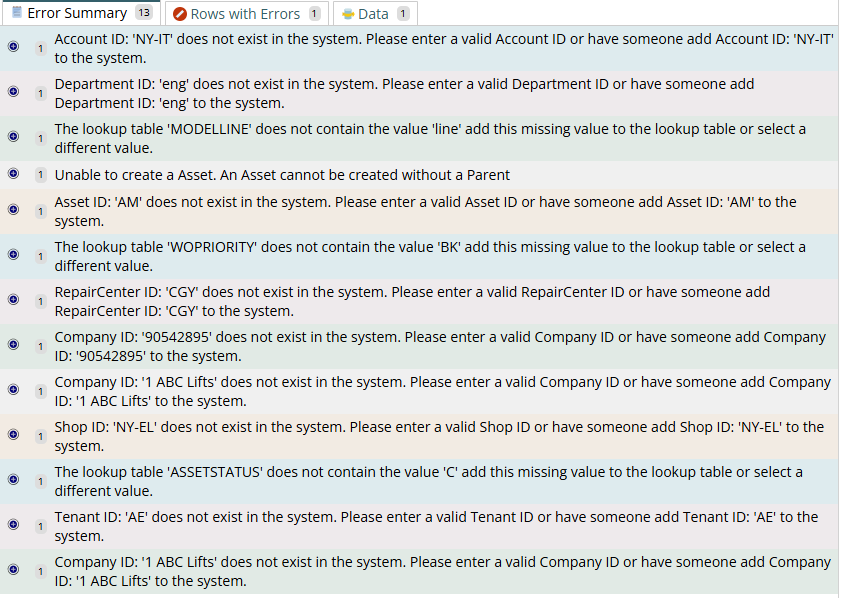
Note: If you use the sample file without changing it, you are likely to get a lot of errors because the data is extremely unlikely to match your data.
Screen shot of expected errors importing sample data into another database
9. Modify the spreadsheet data more as required. Returning to step 5 after each set of changes
11. When happy with the results, Activate the connector in Configuration --> Access Manager --> DataHub Connector Keys (You need a DataHub license with enough unused tokens to do this)
12. Run the connector to import data.
For detailed instructions see:
Installing a DataHub Connector .kdl file
There are several places you might get a DataHub Connector.kdl file from.
- Our documentation has DataHub Connector.kdl files that allow you to see 'the finished' product or some specific features discussed in the document.
- You might have saved a copy to your drive before making changes to make it easy to get back if your changes don't work
- You might have received it from our Support or Professional Services to answer a question or a written for you.
- Someone else on your team, or someone else that uses our MCe products may have saved one to share.
How to use a DataHub Connector .kdl file
There are two steps, one to export a report, the other to import.
Exporting:
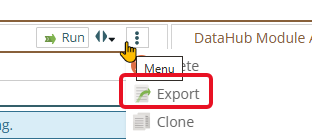
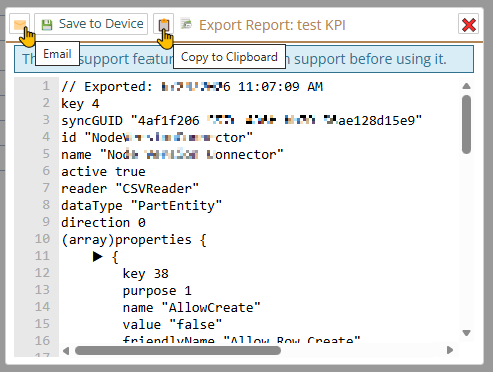
Exporting, you open up the DataHub Connector you want to export, then in the edit panel, choose the 3 dot menu and then choose export:
Importing:
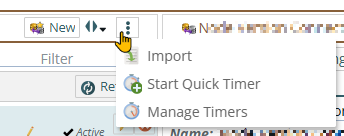
On the DataHub Connector module list panel, the 3 dot menu gives the option to import
Drag and drop the .kdl file you want to import, or click and the select the file from the Operating system file manager/picker.
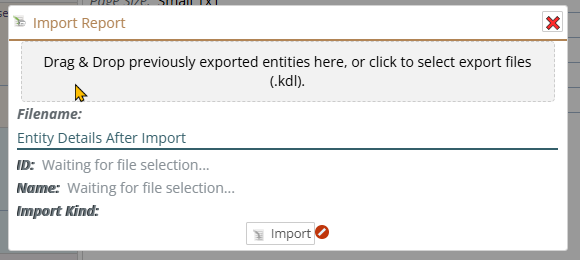
The view will vary depending on the type (Windows, Mac, Linux) the version, and any settings or software overrides you use. But they will all let you find a .kdl file to install.
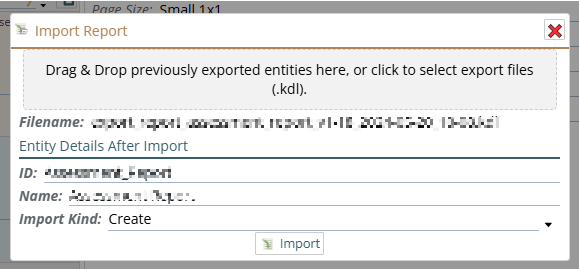
Depending on whether you have imported this specific file before you'll either get for the Import Kind option:
If this same file has already been imported, you'll get a choice of Update or Create as new.

If it hasn't you'll get a choice of Create or Create as New. It doesn't matter which of these two you pick.
What is a .kdl file?
You do NOT need to read anything that follows to use them! But if you are interested, sorry if it's mostly jargon:
The .kdl file extension, sounded as "Cuddle" is a modern, human-friendly document language designed for configuration files and data serialization, similar to JSON, YAML, or XML. In this context, KDL files feature a node-based syntax with XML-like semantics that resembles invoking CLI commands, supporting C-style comments, type annotations, and nested structures intended for readability and maintainability. But while we might occasionally go in and edit them by hand, we almost always just use our tooling to edit them.
See more info on what a .kdl isNotes
- All sample data is fictional and does not represent real customer information.
- The sample spreadsheet is intended for demo and testing purposes.
- Additional mappings and manipulators(Converters, Mutators, Validation rules) may be required for production use.