
 Maintenance Connection Everywhere (MCe) · EAM/CMMS manuals
Intro & Warning
Deleting DATA is generally a bad idea. Most of the time you should mark it based on marking that makes sense for the data type, such as 'inactive' or 'closed' or some other status. In some cases you may want to use a UDF as a flag, then move it to the top right part of the edit page.
Things in trees, like assets and classifications are particularly dangerous because deleting one deletes all it's children - even if there are 1000's of children.
Yes, you can give yourself permission to delete.
But if you really want to delete, we do give that option, and we give you a couple ways you can decide how safe you want to be.
When you delete something you didn't mean to:
If you do delete something that you want back, often it cannot be brought back, or it can be a lot of work to bring it back, even for a small item. Often it is cheaper to just recreate it, but it other cases our Professional services can help you bring it back or they can bring it back entirely as at a recent point.
Who has the rights to set these preferences?
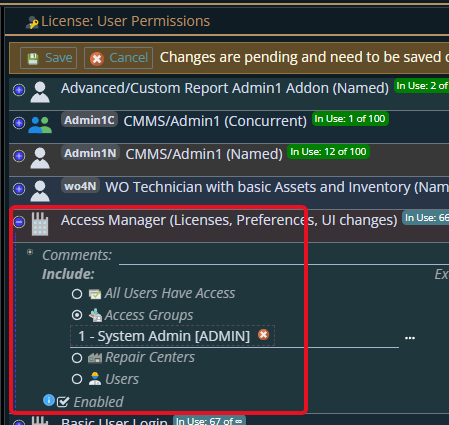
Anyone who has been given permission by you to use the "Access Manager" license
Changing who has access to the Preferences
How to allow deleting
Getting to Preferences
Getting to Access Manager
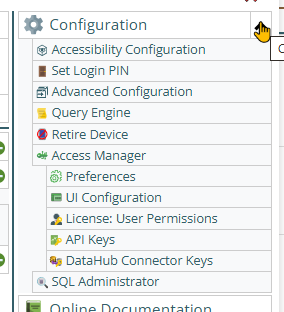
The Access manager requires that you have rights to the "Access Manager" license. YOU decide what permissions it needs, not us, that is discussed elsewhere.) The Access Manager is on the Configuration page
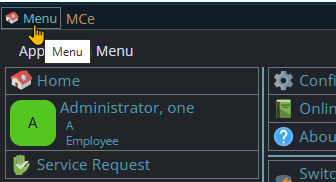
Start by clicking on the main menu button on the left panel, top left portion.
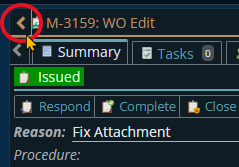
If the menu button isn't visible, you are likely on a screen too narrow to see everything, press on the left pointing gold button to take you so you can see the menu button.
Variation 1: What you have access to
Depending on the size of your screen, what products your company has purchased and what rights you have been granted, the choices in the menu will vary.
Variation 2: How wide your window is
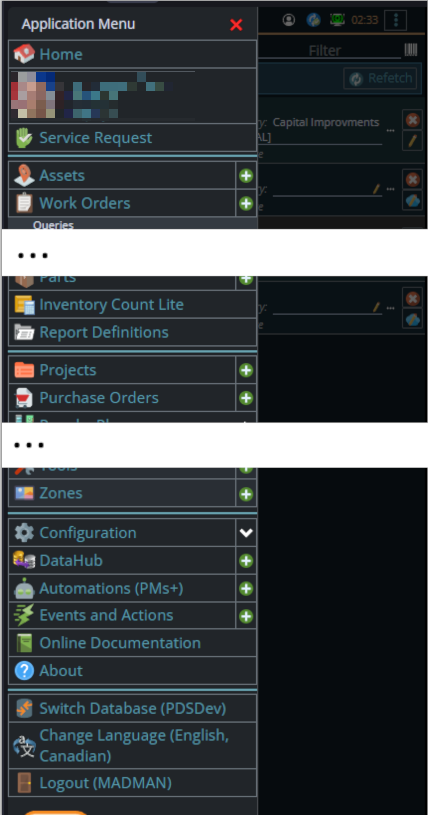
The menu will show up as 1, 2 or 3 columns depending on how wide your screen is.
If you are on a cell phone, and some smaller tablets in portrait mode or a narrow window on a laptop or desktop, you'll see the menu as one column that you scroll through using your finger or the scroll wheel or the scroll bar depending on your device, browser and whether you have a touch screen or not.
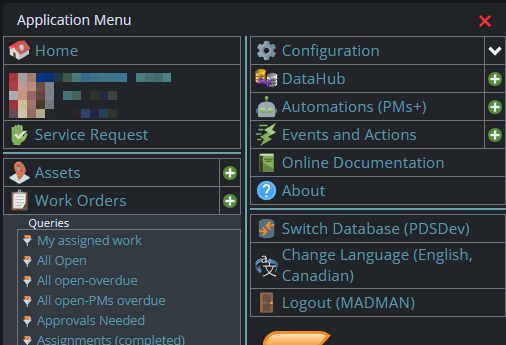
A bit wider, some cell phones in landscape, some tablets in portrait, most tablets in landscape and 'somewhat' wider laptop/desktop, will show it as 2 columns wide, with the middle column available on the left by scrolling down
And wider screens, some landscape tablets, and wider windows on a laptop or desktop show it as 3 columns. If you have all the dropdown sections expanded, it may still require vertical scrolling to see all the choices depending on the height of your device or window.
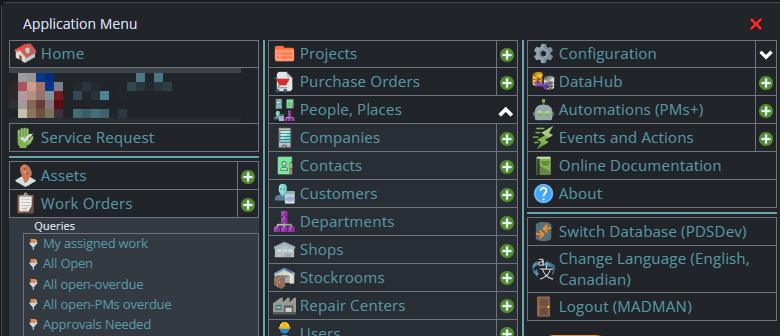
Once the menu is up, the exact location of the configuration button depends on how wide your window is and how many options you have access to. On most it will be at the top of the 2nd or 3rd column of the menu but on a cell phone or narrow window, it will be down partway in the first column.
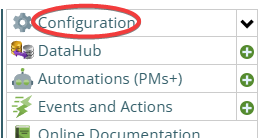
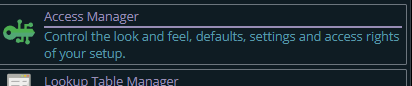
Then from there you choose the Access Manager, or what we call the funny green key
You can also click on the right hand V button in the main menu (if you don't already have it open), noting if you do it this way, you can directly pick the Access Manager tool that you want to go into.
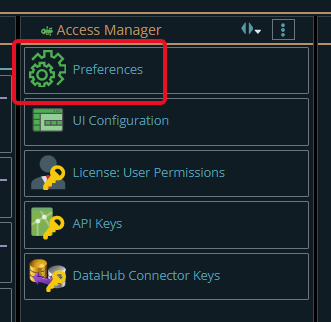
Now press the Preferences button
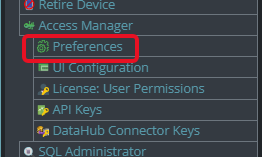
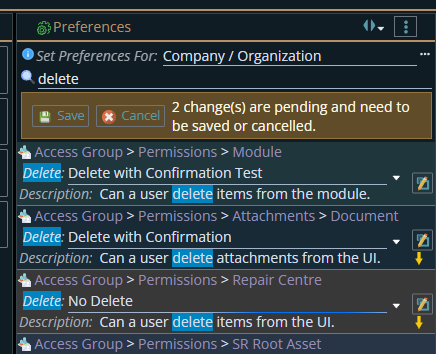
In preferences you can search through the tree, or you can filter like I did below to find all the items with delete. Read the descriptions to make sure you are editing the ones you want.
Note that you can set by Company/Organization, by Access Group or, as above - more often by a specific person
The examples below are for Access Group.
- The 'Module" level one is for deleting Access Groups themselves.
- The second one, Attachments Documents is for deleting Documents in Attachments in Access Group.
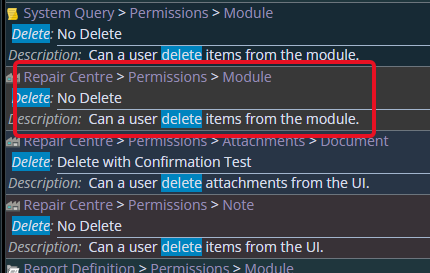
- The third one is for deleting Repair Centers in Access Groups, not Repair Centers themselves,
- for Repair centers themselves, you'd scroll down to them:
If you are going to allow delete, here are some suggestions:
Restrict what users can do it, only allow a small number of users to delete. See the Set preferences for choice near the top.
Consider creating a special user who is given delete permissions, and has most other choices REMOVED so that you remember you are running in a dangerous mode. For example if your user account is Samantha, consider a special user SamanthaDelete who is given delete permissions and many others removed.
You can set the delete option up in a few ways:
"No Delete" this is obviously the safest but of course means this person/access group can't. In general the best advice is that, for Company/Organization you should have "No Delete" for most or all things, then turn whatever delete you need on at an individual or access group level.
"Delete with Confirmation Test" will require that you type the word 'Delete' (if English, whatever the word is in our translation system for other languages). By forcing yourself to type the word 'Delete' you minimize the chance that you just click an OK button without actually reading it.
"Delete with Confirmation" is the most dangerous, but it makes it the easiest to delete large numbers of things because it just asks you to click on an ok button.
There is no "Delete with no safety measures" option. If you want that and you have a lot to delete, you may want to enlist our Professional services to do it using SQL that we will discuss with you before running. This is the "Delete with complete abandon", but can delete pattern based such as "Delete all that start with "zzzDeleteme" in their ID.