
 Maintenance Connection Everywhere (MCe) · EAM/CMMS manuals
There are several ways to assign work orders in the system. Some are 'automatic' some are manual. Here is a fairly comprehensive list:
Manual methods
Self assignAssigning from the Work order, one at a time
Assigning from the Assignment tool
Start by clicking on the main menu button on the left panel, top left portion.
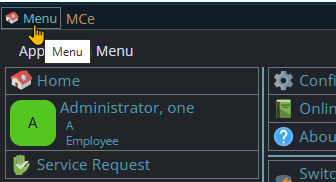
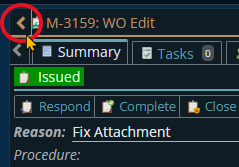
If the menu button isn't visible, you are likely on a screen too narrow to see everything, press on the left pointing gold button to take you so you can see the menu button.
Variation 1: What you have access to
Depending on the size of your screen, what products your company has purchased and what rights you have been granted, the choices in the menu will vary.
Variation 2: How wide your window is
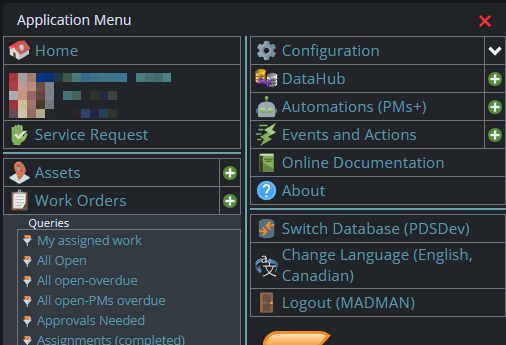
The menu will show up as 1, 2 or 3 columns depending on how wide your screen is.
If you are on a cell phone, and some smaller tablets in portrait mode or a narrow window on a laptop or desktop, you'll see the menu as one column that you scroll through using your finger or the scroll wheel or the scroll bar depending on your device, browser and whether you have a touch screen or not.
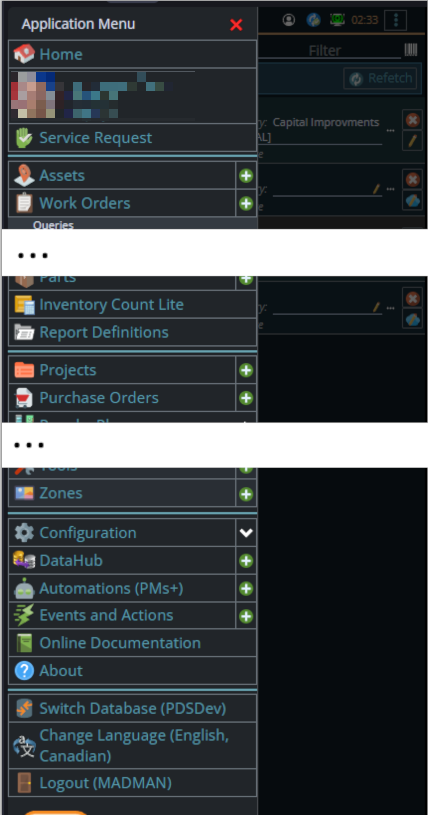
A bit wider, some cell phones in landscape, some tablets in portrait, most tablets in landscape and 'somewhat' wider laptop/desktop, will show it as 2 columns wide, with the middle column available on the left by scrolling down
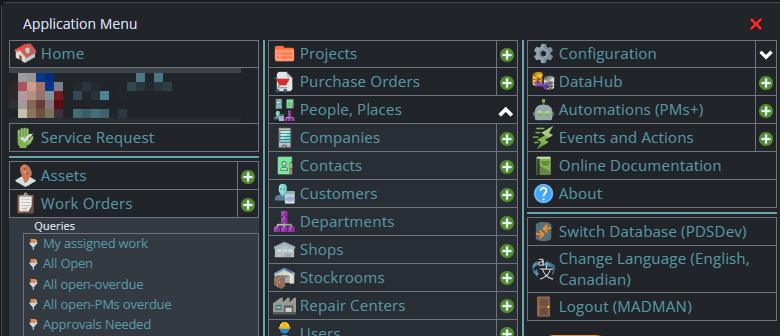
And wider screens, some landscape tablets, and wider windows on a laptop or desktop show it as 3 columns. If you have all the dropdown sections expanded, it may still require vertical scrolling to see all the choices depending on the height of your device or window.
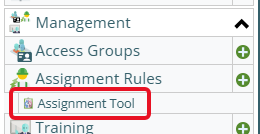
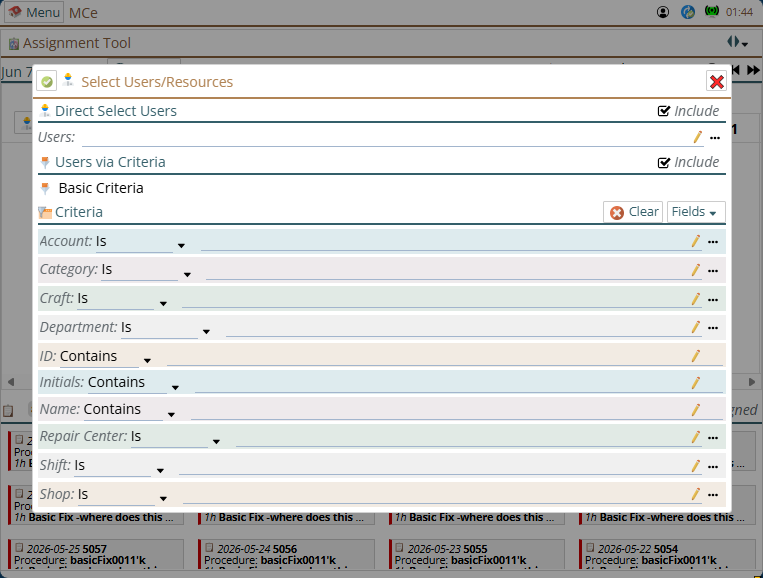
Once you are there
Auto methods
From the Assignment Rules
Start by clicking on the main menu button on the left panel, top left portion.
If the menu button isn't visible, you are likely on a screen too narrow to see everything, press on the left pointing gold button to take you so you can see the menu button.
Variation 1: What you have access to
Depending on the size of your screen, what products your company has purchased and what rights you have been granted, the choices in the menu will vary.
Variation 2: How wide your window is
The menu will show up as 1, 2 or 3 columns depending on how wide your screen is.
If you are on a cell phone, and some smaller tablets in portrait mode or a narrow window on a laptop or desktop, you'll see the menu as one column that you scroll through using your finger or the scroll wheel or the scroll bar depending on your device, browser and whether you have a touch screen or not.
A bit wider, some cell phones in landscape, some tablets in portrait, most tablets in landscape and 'somewhat' wider laptop/desktop, will show it as 2 columns wide, with the middle column available on the left by scrolling down
And wider screens, some landscape tablets, and wider windows on a laptop or desktop show it as 3 columns. If you have all the dropdown sections expanded, it may still require vertical scrolling to see all the choices depending on the height of your device or window.
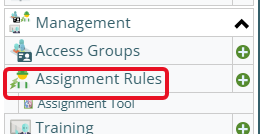
Once you are there
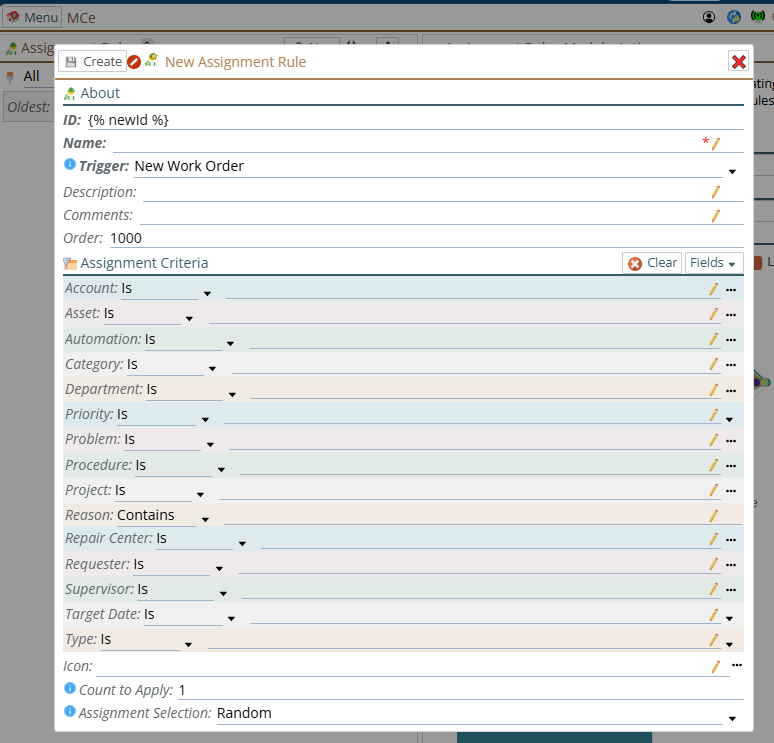
The first step is to create a new assignment rule:
A common misunderstood concept first time in is that you do NOT have to fill out 'every' assignment criteria. Just fill out the one, or ones, that apply to you.
These criteria are "anded" together. This is a computer jargon term that means, if you specify 2 or more criteria, that ALL of them must true for this rule to trigger. So if you put in, for example, an Asset and a code, this assignment rule will occur when the Asset is the specified asset(s) and the problem code is the specified problem code. If it is the problem code but for a different asset - it will not do the assignment, if it is for the same asset but a different problem code, it will not do the assignment.
This means that if you have a case where you want Samantha assigned to do the work every time the problem is X, even if the category is not "5XX" and every time the category is "5XX", even if the problem is not X ... you will need 2 rules.
On the other hand if you want it to be "any time the problem is X, C or T" then under problem you'll include more than one problem on the right side.

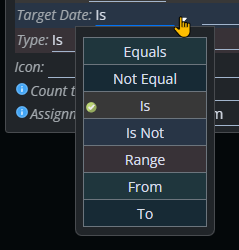
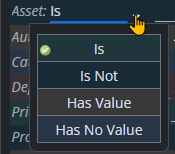
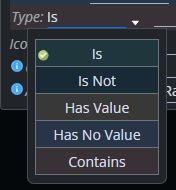
Depending on the data type, there are a variety of options other than 'is' for specifying what you want the rule to be based on.
Date type:
Object pointer:
String
You can specify what happens when there are (in the next step) 2 or more assignees, how to pick which one to assign:
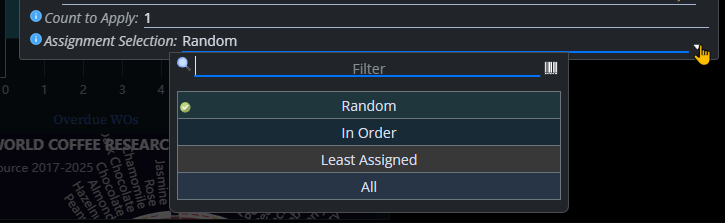
While in a sampling we took, most people preferred 'Random' to be the default way, Random is probably the poorest choice in the list. See our white paper on random to understand why it is a bad choice.
"All" is different from the other three, it will assign ALL from the list to the work order, this is useful when you need more than one person/skill on an assignment for a specific type of maintenance.
In order or Least assigned is probably the better choice most of the time. In order will just go through in the same order every time, making sure there is an equal distribution.
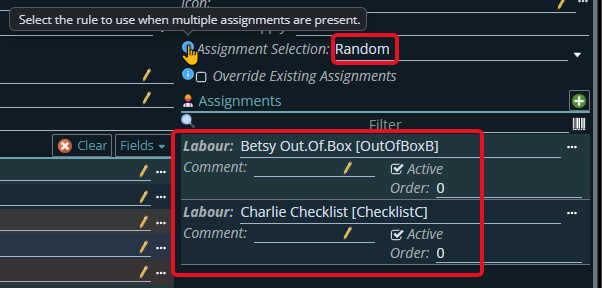
Once the rule is created you can fill out the Assignees.
If you only have one, the Assignment Selection choice doesn't matter, but if you have more than one, the Assignment Selection choice will
Based on the Asset
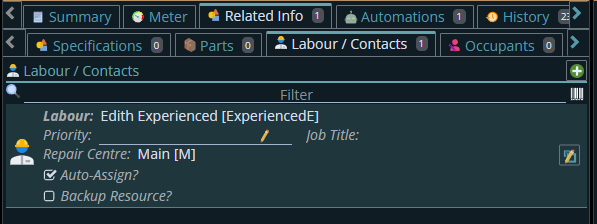
This will apply to all the CHILDREN records of this asset unless the child record has it's own Auto-Assign that will then override.
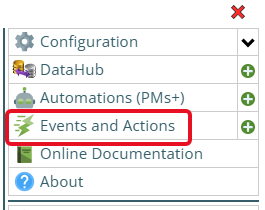
Events and Actions.
When possible, see if the Assignment rules can do it. It has some features that essentially are Events and Actions but are optimized to make it easier for you to set up auto assignments
You can trigger a WO create by watching for some event, creating of a work order, changing of an asset, setting of a UDF value in a work order (or asset),
Start by clicking on the main menu button on the left panel, top left portion.
If the menu button isn't visible, you are likely on a screen too narrow to see everything, press on the left pointing gold button to take you so you can see the menu button.
Variation 1: What you have access to
Depending on the size of your screen, what products your company has purchased and what rights you have been granted, the choices in the menu will vary.
Variation 2: How wide your window is
The menu will show up as 1, 2 or 3 columns depending on how wide your screen is.
If you are on a cell phone, and some smaller tablets in portrait mode or a narrow window on a laptop or desktop, you'll see the menu as one column that you scroll through using your finger or the scroll wheel or the scroll bar depending on your device, browser and whether you have a touch screen or not.
A bit wider, some cell phones in landscape, some tablets in portrait, most tablets in landscape and 'somewhat' wider laptop/desktop, will show it as 2 columns wide, with the middle column available on the left by scrolling down
And wider screens, some landscape tablets, and wider windows on a laptop or desktop show it as 3 columns. If you have all the dropdown sections expanded, it may still require vertical scrolling to see all the choices depending on the height of your device or window.
From the API
an optional package that gives you ability to control the EAM/CMMS data through an extensive API in REST or GraphQL
From the DataHub
an optional package that lets you read data from files created by an external source
Indirectly through Automations such as PMs and PdMs
While you might think of these as doing assignments, in and of themselves they often create Work Orders, and it is the nature of the Work order that might result in an assignment being automatically done, the Automations that create Work Orders from PMs etc.., don't in and of themselves do any assigning.