 Maintenance Connection Everywhere (MCe) · EAM/CMMS manuals
The Desktop App for MC, no additional cost for all of our MC customers1
This is our MC family of Desktop apps for Windows, Mac and Linux, first created as a custom project in 2017, version 2 in 2023, and released as a general release product, version 3.0 & 3.1, in 2026. V3 upgrades these products giving a tool that now lets you run MC versions 8.9 through 2025 safer and more reliably that running in a browser.
To install, visit here: To install Desktop App for MC
There are lots of good reasons it should be your only solution for running MC.
But I'm using Accruent MC 8.2 or older
To the best of our knowledge, only one of our existing customers was using a version of MC older than 8.9, they were using 8.0 and they upgraded to MC 2025, we implemented a temporary fix for their 8.0 system and then they switched to using the Desktop App for MC after that upgrade.
If you are at 8.8 or older and you have a desire or need to stay at that version for awhile (really whatever length of time), talk to us, we may be able to work out a reasonable solution, but as we have no known customers in this situation at this time, we have not done so (yet). Send an email to [email protected]
But I have the same problem with Accruent's MC Express (MCX)
This is an old product and you really should be upgrading to MCe. We have very few customers still running MC Express. But we have had one report from a customer showing that MC Express, also running Chromium, is affected by similar problems. The simple solution is to upgrade to one of MCe's technician licenses, and for most of our customers who purchased MCX from us, this can be a no charge upgrade if you go with the license that is essentially the same feature set, but with all the benefits you get with MCe like hierarchical tasks and dozens of other reasons. We have no plans to have an App solution for MCX.
Why should you always be using the Desktop App for MC to run MC
Reasons you want to ALWAYS use the Desktop App for MC instead of Edge, Chrome, Brave or Safari
-
Browsers are 'General purpose' do everything tools. MC for most of our customers is a mission critical app. Running in the Desktop App for MC isolates MC from everything else, the way it should be for mission critical app. Several of the more significant specifics are called out below.
- Browsers don't care if they break Accruent's MC - if they want to make a change they don't check with Accruent to see if it will break MC. This has happened 3 times in a serious way (and several other smaller less serious ways like popup blocking). The Desktop App for MC knows and cares deeply that MC run properly so it purposely tries to do everything it can to have MC run in the best possible way.
- Clear cache is MANDATORY for MC every time MC is upgraded. As browsers have changed how they clear cache for security reasons, this means, if you do what MC needs, you wipe out everything for EVERY server you use in the browser. By using the Desktop App for MC, you don't mess up all your other sites every time you get an MC upgrade. You just close the tab and reopen it!
- The opposite is true too, when you clear cache for something else - you clear it for MC, and all your MC optimizations for performance are lost. Running in the Desktop App for MC - nothing you do in or with the browser affects your business MC app.
- Multi tabs in a Browser for MC don't work because of shared data, you end up with subtle and significant bugs and data corruption if you try to run MC in two tabs. So the 'normal' answer is "run each tab in a separate browser" (which only works if you have 2 or more compatible browsers, or "run on 2 or more computers. The Desktop App for MC runs each tab isolated from each other so all of those problems go away, the ones you know about and more important - the data corruption ones you didn't realize where happening.
- The Desktop App for MC is safer running MC than Chrome, Edge, Brave etc.., - it only allows MC to run in it, not random other web sites
- The Desktop App for MC does not permit browser add-ins. While these can be great for other purposes such as shopping, but many of them routinely break MC. This lets you have your add-ins where you need them, but run MC in a safer environment than a general purpose browser: Your browser add-ons no longer interfere with your work.
- The Desktop App for MC has no random changes by Google causing backwards compatibility issues. While we do run with chromium as well, we control the version with MC in mind, and have the ability to adjust specifics that matter to MC even before Accruent 'fixes' their code (and requires you upgrade to get the fixes.)
-
Benefits that come from being a standalone app rather than "one web site in 100,000"
- Better shortcut on your desktop, instead of a shortcut to Edge/Chrome/Brave, you have a shortcut directly to the Desktop App for MC
- Better icon; In a browser, you see the Chrome/Edge/Brave icon, The Desktop App for MC gives you a 'for purpose' icon
- you can pin the Desktop App for MC to your taskbar
- on the start menu, you can install/uninstall the Desktop App for MC
- The Desktop App for MC removes all the buttons you don't need that come when running in Chrome, Edge, Brave etc.., browser, including the back button that messes things up
- For when you do need it, The Desktop App for MC provides 2 Easy Reset Cache options. One in the 3 dot menu. The other - just close the tab then reopen it. Whichever way is more convenient for you, you don't have to do both.
- Remembers server you are connected to
-
You can push it out with group policy using our MSX
-
Pulls traditional browsers out of the line of business. You don't have to have a Chrome/Edge/Brave etc.., browser for mission critical work.
-
Upgrades to the Desktop App for MC are in the wrapper, not in the base product, so we can upgrade with very little effort, especially learning and compatibility, if you aren't ready to handle a major UI or feature compatibility/connectivity with other products, but then when you are ready - it continues to work with the upgraded MC as well.
-
MC doesn't work in Safari, never has. So on a Mac it is an excellent option, especially given the other reasons
-
The Desktop App For MC lets you reliably run MC on Linux devices.
-
The Desktop App for MC is indeed a full fledged application for running Accruent MC 8.9 or newer (tested up to MC 2025, as we support newer version we'll continue testing)
-
It works on Prem and against the MCC SaaSs.
-
2026.03 special reason: When Accruent gets a version that works on the new Chromium, they will very likely not work unless you upgrade to that version. This lets you run whichever version of MC you are running from V1 to V2025, and more when Accruent releases them.
March to Sept 2026 Chromium breaks MC; but the "Desktop App for MC" permanently fixes it
In March 2026 - 1% failed (on purpose says Chromium) and by September 2026 100%: Chromium is breaking every copy of Accruent MC and other products that use a specific feature. (MCe not affected) Accruent has been notified by us so they can fix their code to work with new Chromium, but if you use the Desktop App for MC, you HAVE the solution already. There is a somewhat dangerous work-a-round that will likely work until at least October 2026. Chromium has indicated soon after that the work around will fail. They haven't said when but given the rationale they give, it seems it will be within a small number, maybe 1, months after September 2026.1.
- We expect some time after that Accruent will fix On-Prem, but it will require an upgrade to that version of MC whether you are ready and able to or not
- We highly doubt they will be able to ever patch older versions, we expect the difficulty of that will be so high that the only path will be to use the Desktop App for MC or upgrade to the then latest MC version.
- We recognize for some customers, upgrading is not a practical option due to custom code, or not convenient at the time, or 'current known bugs' are better than 'new, possibly unknown, bugs'.
The Desktop App for MC is the BEST solution for this 2026 Chromium breakdown.
Most of the MCe products, LoginHub, DataHub, API, AI, Technician mobile first, Administrator mobile first, Advanced Report writers, Advanced automations and event and actions are products that are sold or rented with SMA available.
But the Desktop App for MC is different:
The Desktop App for MC is now widely available and 'included at no additional charge' for all customers who have their up to date MC SMA through MCC Canada (Asset Pro Solutions Inc.) or ITIQPro Inc.
You have a choice of who your dealer for MC SMA is, you can use Accruent's On Prem support. You can use Accruent's SaaS, you can use any other authorized dealer for On prem, and you can use Asset Pro Solutions (APS) Inc DBA Maintenance Connection Canada for your On Prem support, APS and ITIQPro Inc. are the only other SaaS authorized dealers for the MC product line. We have been since 2003.
Other bugs fixed by the Desktop App for MC
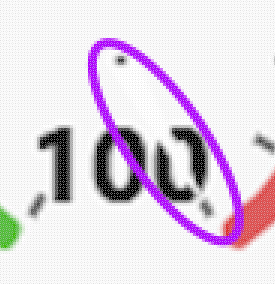
If you are experiencing the 'missing needle' or if you look closer ... the nearly invisible because it is white needle, the "Desktop app for MC" v 1.3.10 fixes this. For more details see the Gauge needle is missing/white discussion
Why hasn't 'everybody' been using the Desktop App for MC?
There was a stigma where 'I want it to run in my browser with everything my browser gives, I don't want to run a desktop app.'
Prior to version 3 of the Desktop App for MC, the Desktop App for MC was a custom product for custom purposes for specific users. It had fewer general features and was therefore not appropriate for general release.
Starting with Version 3 of the Desktop App for MC, the Desktop App for MC brings the benefits of an 'app', a 'desktop app' and a 'browser app' together - you get the advantages, and we remove a lot of the disadvantages of each of those at the same time.
We have many solutions in the MCe family that make MC better:
Since 2003 we have been working with Accruent (formerly MC LLC) to enhance the MC product line.
In 2003 at the request of Maintenance Connection, we took our offline Mobile technician and administrator products and made them compatible with Accruent MC
Then through the years, we have built other modules/products to improve the MC experience including the MCe LoginHub (identity provider connector including SSO), DataHub (importing data regularly in a data aware mode), AI, Pixel perfect reporting, Advanced Reports writer, API, GIS/Mapping and more.
Footnotes
-
1: If you have your MC SMA through us, you are entitled to use our Desktop App for MC for those databases/servers for unlimited number of users, unlimited number of devices. It's use is included 'free' as part of your SMA for as long as you continue to have that SMA through us. It is OK if you purchased the product through Accruent or another dealer, you just switch your SMA to us, new purchases would of course go through us to be eligible for SMA. ↩