Maintenance Connection Everywhere (MCe) · EAM/CMMS manuals
TL;DR
If you CLONE in MC, sometimes it shows you duplicates of OTHER assets as if they have been cloned.
This is a Visual problem not real duplicates.
Do NOT delete the duplicates. You will delete the real (source) ones.
Log out, then log back in, the duplicates will be gone.
Details
Here is the start, I've chosen the 'Unit 02' asset.
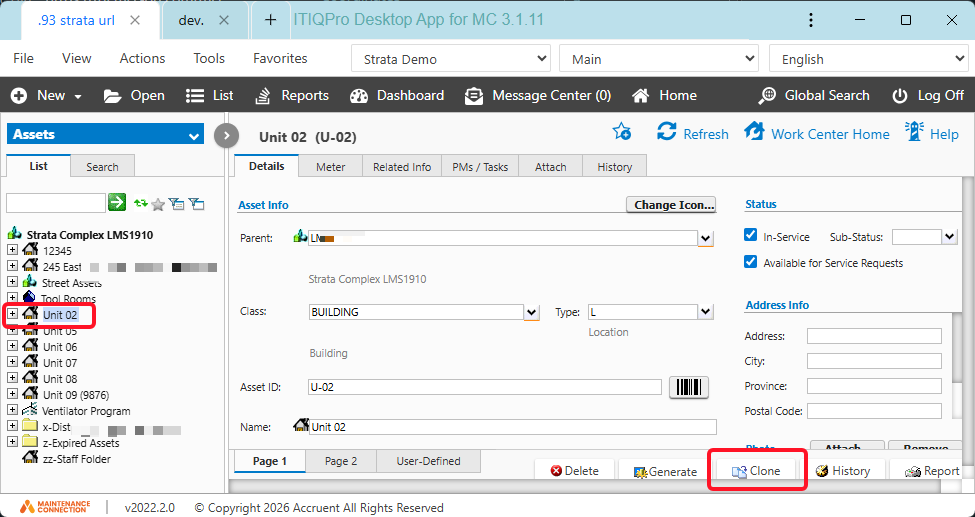
Notice there is nothing under the bottom zz-Staff Folder
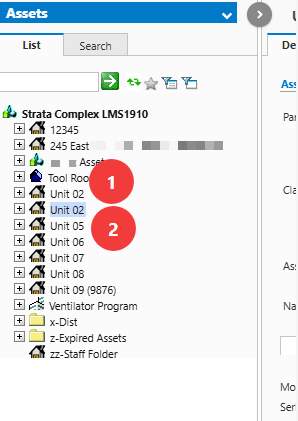
Now I clone 'Unit 02' and I see the following:
1. The original Unit 02
2. The new Unit 02 that you want (you are probably going to rename it)
3. The VISUAL copy of the Unit 02, but then note all the ones after the zz-Staff Folder, down in the area #3 is ... duplicated a lot of stuff above.
THIS IS A VISUAL COPY - IF YOU DELETE THE VISUAL COPY YOU ARE DELETING THE ONES AT THE TOP - THE REAL ONES
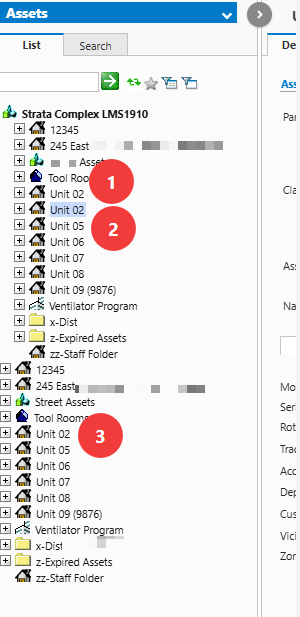
Hitting refresh may still have them visible according to at least 2 test.
Now I logout
Now I log back in
The list is what I expected it to be.