Maintenance Connection Everywhere (MCe) · EAM/CMMS manuals
LoginHub will shell out to your default browser. In normal cases it will be silent, or a screen blip, and will return with a secure login token.
For this work, according to Microsoft as of 2026.11, you need to either be using modern Edge or Chrome with required extension. While the Microsoft Entra feature works with Firefox - Accruent MCe (and MC) do not work with Firefox for other reasons.
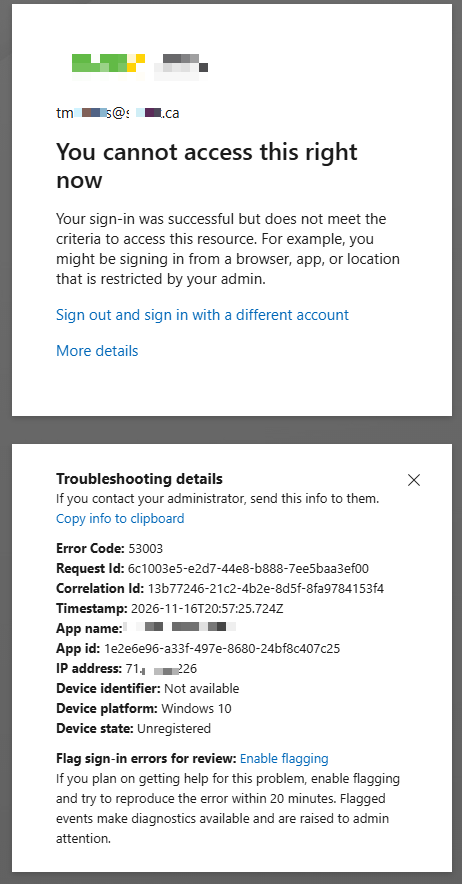
If you have Chrome as your default browser and your company policy hasn't added the extension (or you haven't manually added the extension) you can expect to get an error similar to the following:
"You cannot access this right now Your sign-in was successful but does not meet the criteria to access this resource.", Unregistered device state.
If your default browser is Edge you should not be able to get this error if running with MCe 12.1.20 or newer.
You can also get this error if you are running with a a version of LoginHub/MCe of 12.1.19 or older as we added support for this feature in 12.1.20